Android Your device
With Chrome.
- Open app.galetify.com and sign in.
- Tap the ⋮ menu at the top right.
- Choose Install app and confirm.
 Galetify
Shopping lists, tasks and plans shared with your household, partner or friends. What one person adds, everyone sees right away.
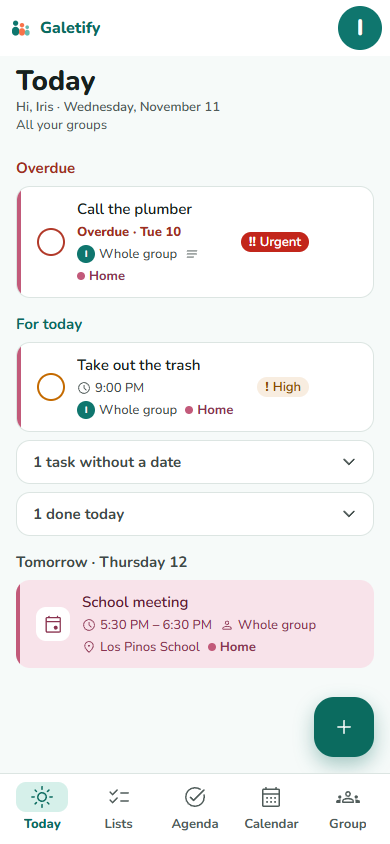
Home, Partner, Friends… and a space that is only yours. Everything in a group can be seen and edited by all its members.
The groceries, the barbecue supplies, who takes out the trash. With a due date, priority and reminder.
Plans with a time, a place and attendance replies. Anything can repeat every day, week, month or year.
Changes reach everyone without reloading, with a notification when someone else creates or completes something. Never for your own changes.
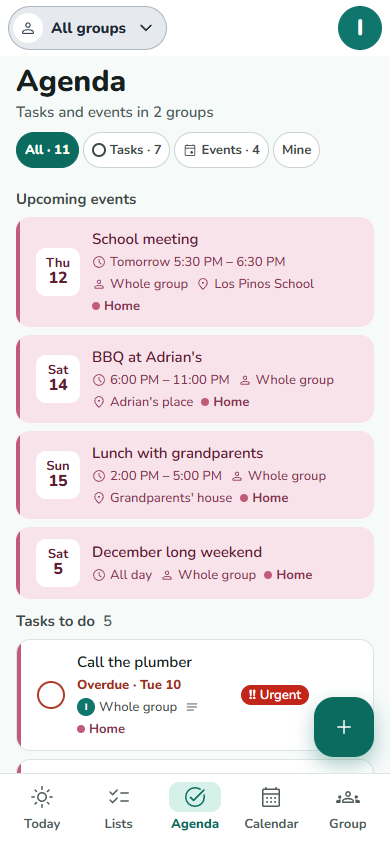
Upcoming events and tasks by status. Filter by group or by what is yours.
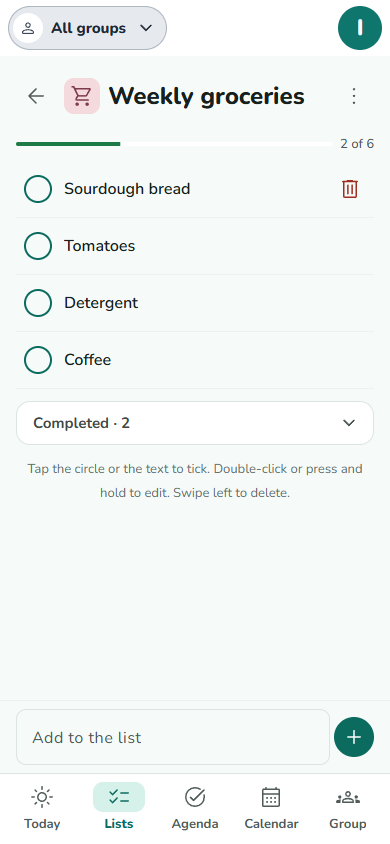
Tap to check things off. Everyone sees it, with no reload.
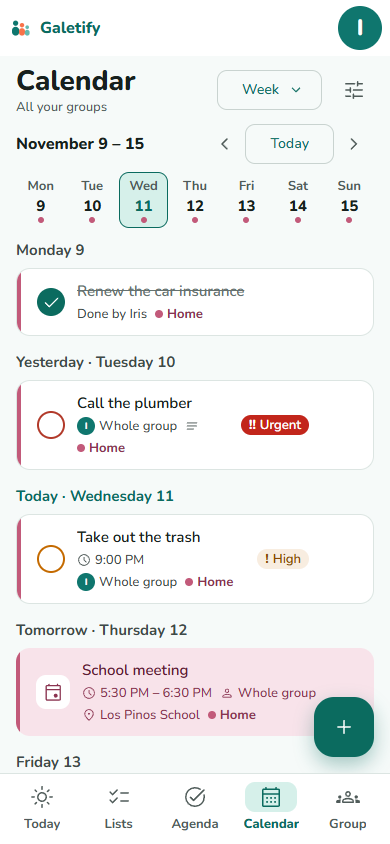
All your groups together, by week or by month.
No stores: you install it from the browser, with its own icon and full screen. First, create your account at app.galetify.com and confirm your email.
With Chrome.
With Safari (other browsers don’t allow it).
With Chrome or Edge.